How to Authenticate with AliExpress's API using Go
In this tutorial, we are going to connect an application to AliExpress using Go.
This series covers the buyer / dropshipper API family. You will need an AliExpress developer account, an app approved for the APIs you want to call, and authorization from the account whose data you are accessing. Seller catalog APIs and affiliate APIs have different permissions and methods. An app key by itself does not grant access to an account's orders.
Before we write the code
Open the AliExpress app console, sign in to your developer account, and create your own application. Register a callback URL that you control, such as https://your-app.example.com/oauth/aliexpress, and request the API permissions needed for your integration. Copy your app key and app secret into your local environment. Do not copy credentials or callback URLs from someone else's application.
The callback URL in the authorization request must match the one registered for your app. For development, use a callback your app configuration accepts. An authorization code may appear in the callback URL even if your local callback handler is not running, but a deployed integration needs a real handler.
The flow has three steps: send the account owner to AliExpress, receive the authorization code at your callback, and exchange that code on your server. The official authorization guide describes this code-for-token flow. App approval and the type of account you can authorize depend on your app category, so check the permissions displayed for your own app.
Build an authorization URL with these parameters, URL-encoding each value:
https://api-sg.aliexpress.com/oauth/authorize
  ?response_type=code
  &client_id=YOUR_APP_KEY
  &redirect_uri=YOUR_REGISTERED_CALLBACK_URL
  &state=YOUR_RANDOM_SINGLE_USE_STATE
Put that on one line before opening it. Generate a cryptographically random state, store it in the user's server-side session with a short expiry, and compare it with the callback's state before accepting the code. Bind the callback to the user who started authorization and consume the state once. Do not accept a code from an arbitrary callback URL. These scripts start after that validation; they are not a complete web callback handler.
AliExpress returns a short-lived code. Exchange it promptly and use a fresh code if it expires or has already been consumed. Keep the full callback URL out of logs, analytics, and screenshots because it contains that code.
Go setup
Use Go 1.22 or later. Create a directory for the example and save the helper below as client.go. Save the operation as a separate file. Run the two files explicitly: these examples each have their own main, so go run . with all four operation files in one folder will not work. There are no third-party dependencies.
Sign the request
We will use https://api-sg.aliexpress.com/rest for token endpoints and https://api-sg.aliexpress.com/sync for these dropshipping calls. The helper signs requests using HMAC-SHA256 with an uppercase hexadecimal digest:
- Leave
signout of the input and omit empty values. - Sort parameter names in ASCII order.
- Concatenate each name and its unencoded value without separators.
- For token endpoints, prefix
/auth/token/createor/auth/token/refresh. For these/synccalls, use an empty prefix; the method name is already a signed parameter. - Sign the UTF-8 bytes with the app secret, then form-encode the parameters for transport.
We use a millisecond Unix timestamp and send the access token as session for /sync. Do not change the JSON serialization or any other parameter after computing the signature.
AliExpress also publishes older TOP gateway examples with different timestamps, parameters, and signing algorithms. Use the gateway and protocol enabled for your app; do not combine a TOP example with this Singapore-gateway helper. Start with the AliExpress API directory and the individual method page for your app. Confirm that your approved app has permission to call each method before running the examples.
The helper gives each request a timeout, checks HTTP status, and rejects the top-level error_response envelope. API errors can arrive with HTTP 200, so the operation also checks its method-specific result. Error output omits raw bodies because they can contain tokens or personal data.
package main

import (
	"crypto/hmac"
	"crypto/sha256"
	"encoding/hex"
	"encoding/json"
	"fmt"
	"io"
	"net/http"
	"net/url"
	"os"
	"sort"
	"strconv"
	"strings"
	"time"
)

func required(name string) string {
	value := os.Getenv(name)
	if value == "" {
		panic("Set " + name)
	}
	return value
}

func signature(params map[string]string, path, secret string) string {
	keys := make([]string, 0, len(params))
	for key, value := range params {
		if key != "sign" && value != "" {
			keys = append(keys, key)
		}
	}
	sort.Strings(keys)
	var message strings.Builder
	message.WriteString(path)
	for _, key := range keys {
		message.WriteString(key)
		message.WriteString(params[key])
	}
	mac := hmac.New(sha256.New, []byte(secret))
	mac.Write([]byte(message.String()))
	return strings.ToUpper(hex.EncodeToString(mac.Sum(nil)))
}

func call(endpoint, path string, business map[string]string) (map[string]any, error) {
	params := map[string]string{
		"app_key": required("ALIEXPRESS_APP_KEY"), "sign_method": "sha256",
		"timestamp": strconv.FormatInt(time.Now().UnixMilli(), 10),
	}
	for key, value := range business {
		params[key] = value
	}
	params["sign"] = signature(params, path, required("ALIEXPRESS_APP_SECRET"))
	form := url.Values{}
	for key, value := range params {
		form.Set(key, value)
	}
	client := &http.Client{Timeout: 20 * time.Second}
	response, err := client.PostForm(endpoint, form)
	if err != nil {
		return nil, fmt.Errorf("AliExpress connection failed; details omitted")
	}
	defer response.Body.Close()
	if response.StatusCode != http.StatusOK {
		return nil, fmt.Errorf("AliExpress HTTP %d; response omitted", response.StatusCode)
	}
	var data map[string]any
	decoder := json.NewDecoder(io.LimitReader(response.Body, 10<<20))
	decoder.UseNumber() // Preserve identifiers that exceed JavaScript's safe integer range.
	if err := decoder.Decode(&data); err != nil {
		return nil, fmt.Errorf("invalid AliExpress JSON")
	}
	if data == nil {
		return nil, fmt.Errorf("unexpected AliExpress response")
	}
	if _, exists := data["error_response"]; exists {
		return nil, fmt.Errorf("AliExpress rejected the request; inspect securely")
	}
	return data, nil
}

func syncAPI(method string, params map[string]string) (map[string]any, error) {
	params["method"] = method
	params["session"] = required("ALIEXPRESS_ACCESS_TOKEN")
	return call("https://api-sg.aliexpress.com/sync", "", params)
}

func object(parent map[string]any, key string) map[string]any {
	value, _ := parent[key].(map[string]any)
	return value
}

func list(parent map[string]any, key string) []any {
	value, _ := parent[key].([]any)
	return value
}

func savePrivate(filename string, data any) error {
	file, err := os.OpenFile(filename, os.O_WRONLY|os.O_CREATE|os.O_EXCL, 0600)
	if err != nil {
		return err
	}
	encoder := json.NewEncoder(file)
	encoder.SetIndent("", "  ")
	err = encoder.Encode(data)
	closeErr := file.Close()
	if err != nil {
		return err
	}
	return closeErr
}

func must(err error) {
	if err != nil {
		fmt.Fprintln(os.Stderr, err)
		os.Exit(1)
	}
}
The private-file helper creates a new file and refuses to overwrite an existing one. For repeated runs, choose a new output path for tokens, or move the previous snapshot to private storage before running a sync again. File permissions are a POSIX safeguard; use your operating system's access controls on Windows.
Exchange the code
Save this as authenticate.go:
package main

import (
	"fmt"
	"os"
)

func main() {
	operation := os.Getenv("ALIEXPRESS_AUTH_OPERATION")
	if operation == "" {
		operation = "create"
	}
	if operation != "create" && operation != "refresh" {
		panic("Use create or refresh")
	}
	path := "/auth/token/" + operation
	field, env := "code", "ALIEXPRESS_CODE"
	if operation == "refresh" {
		field, env = "refresh_token", "ALIEXPRESS_REFRESH_TOKEN"
	}
	tokens, err := call("https://api-sg.aliexpress.com/rest"+path, path, map[string]string{field: required(env)})
	must(err)
	if code, ok := tokens["code"]; ok && fmt.Sprint(code) != "0" {
		panic("Token exchange failed; response omitted")
	}
	token, _ := tokens["access_token"].(string)
	if token == "" {
		panic("Token exchange failed; response omitted")
	}
	must(savePrivate(required("ALIEXPRESS_TOKEN_FILE"), tokens))
	fmt.Println("Token saved privately. expires_in:", tokens["expires_in"])
}
Run the example
Set the environment variables locally using your secret manager or shell. The values below are placeholders. Do not commit your .env file, token file, or downloaded account data. umask 077 makes newly created files private on a POSIX system.
umask 077
export ALIEXPRESS_APP_KEY='your-app-key'
export ALIEXPRESS_APP_SECRET='your-app-secret'
export ALIEXPRESS_CODE='code-from-your-validated-callback'
export ALIEXPRESS_TOKEN_FILE='./aliexpress-tokens.json'
go run client.go authenticate.go
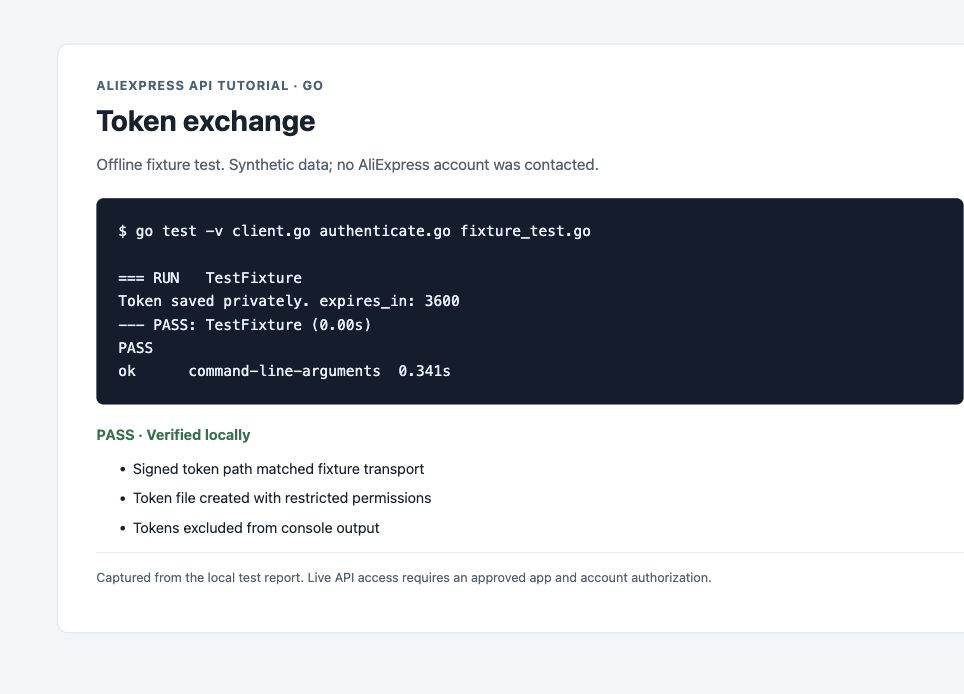
A successful run saves the complete token response privately and prints only its expires_in value. Load access_token into your backend's credential store and use it as session on the dropshipping calls. Keep the returned refresh token and all expiry fields with the same authorization record. Avoid printing the file to a terminal while recording a tutorial.
Refresh the authorization
Use the same script with a refresh token from your private credential store:
export ALIEXPRESS_AUTH_OPERATION='refresh'
export ALIEXPRESS_REFRESH_TOKEN='your-current-refresh-token'
export ALIEXPRESS_TOKEN_FILE='./aliexpress-tokens-refreshed.json'
go run client.go authenticate.go
The new output filename matters because the example refuses to overwrite the original file. In your application, atomically replace the stored access token, refresh token, and expiry metadata after a successful refresh. A refresh failure should not erase the previous record. Use a lock or version check so two workers cannot race while refreshing one authorization.
Use the lifetimes returned for your app instead of assuming every token lasts a fixed number of hours. If refresh is unavailable or expired, send the user through authorization again. The app secret signs the request; it is never sent as an ordinary request parameter.
Common problems
For a callback mismatch, compare your registered callback and redirect_uri exactly. For a signature error, check the token path prefix, parameter sorting, UTF-8 bytes, and your system clock. A code that has expired or already been used needs a new authorization flow. A permission error needs a check of the app's grants and the authorizing account; repeating the same request will not add permissions.
A production integration needs a callback handler with state validation, encrypted token storage, and per-account authorization records. The CLI exchange is a way to understand and test that backend step.
Local test result
This screenshot shows an offline fixture run of the Go example. The transport returns synthetic data; it is not evidence of a successful live AliExpress call. Only the summary is displayed, so no account address, token, or tracking number is exposed.
Download the example
The two files are client.go and authenticate.go. Save them together. These are small educational scripts; add schema validation, protected credential storage, and your persistence layer before using them as a background integration.