How to deploy a Go API on Render
In this tutorial, we are going to deploy a small Go API to Render. We'll write a couple of JSON endpoints, connect the GitHub repository, and test the deployed API over HTTPS.
I am using a Free web service for this example. It is enough to follow along, but it spins down when idle and has usage limits. Check Render's current Free plan limits before using it for a project that needs to stay available.
Create the API
You will need Go 1.24 or later, GitHub, and a Render account. Create a GitHub repository and clone it to your computer. In the project directory, initialize a module:
go mod init example.com/render-go-api
Create main.go:
package main

import (
	"encoding/json"
	"log"
	"net/http"
	"os"
	"time"
)

func main() {
	port := os.Getenv("PORT")
	if port == "" {
		port = "10000"
	}
	mux := http.NewServeMux()
	mux.HandleFunc("GET /healthz", func(w http.ResponseWriter, r *http.Request) {
		w.Header().Set("Content-Type", "application/json")
		json.NewEncoder(w).Encode(map[string]string{"status": "ok"})
	})
	mux.HandleFunc("GET /", func(w http.ResponseWriter, r *http.Request) {
		if r.URL.Path != "/" {
			http.NotFound(w, r)
			return
		}
		w.Header().Set("Content-Type", "application/json")
		json.NewEncoder(w).Encode(map[string]string{"message": "Hello from Go"})
	})
	server := &http.Server{
		Addr:              "0.0.0.0:" + port,
		Handler:           mux,
		ReadHeaderTimeout: 5 * time.Second,
	}
	log.Printf("Listening on %s", server.Addr)
	log.Fatal(server.ListenAndServe())
}
The API returns JSON from / and /healthz. We read PORT from the environment, with 10000 as the local fallback. The server listens on 0.0.0.0 so Render can reach it.
Run it locally:
go run .
In another terminal, try:
curl http://localhost:10000/
curl http://localhost:10000/healthz
Commit main.go and go.mod, then push them to GitHub. You can add app and .env to .gitignore so a compiled binary and local secrets do not get committed.
Create a web service
Open your Render dashboard, hit New, then Web Service.
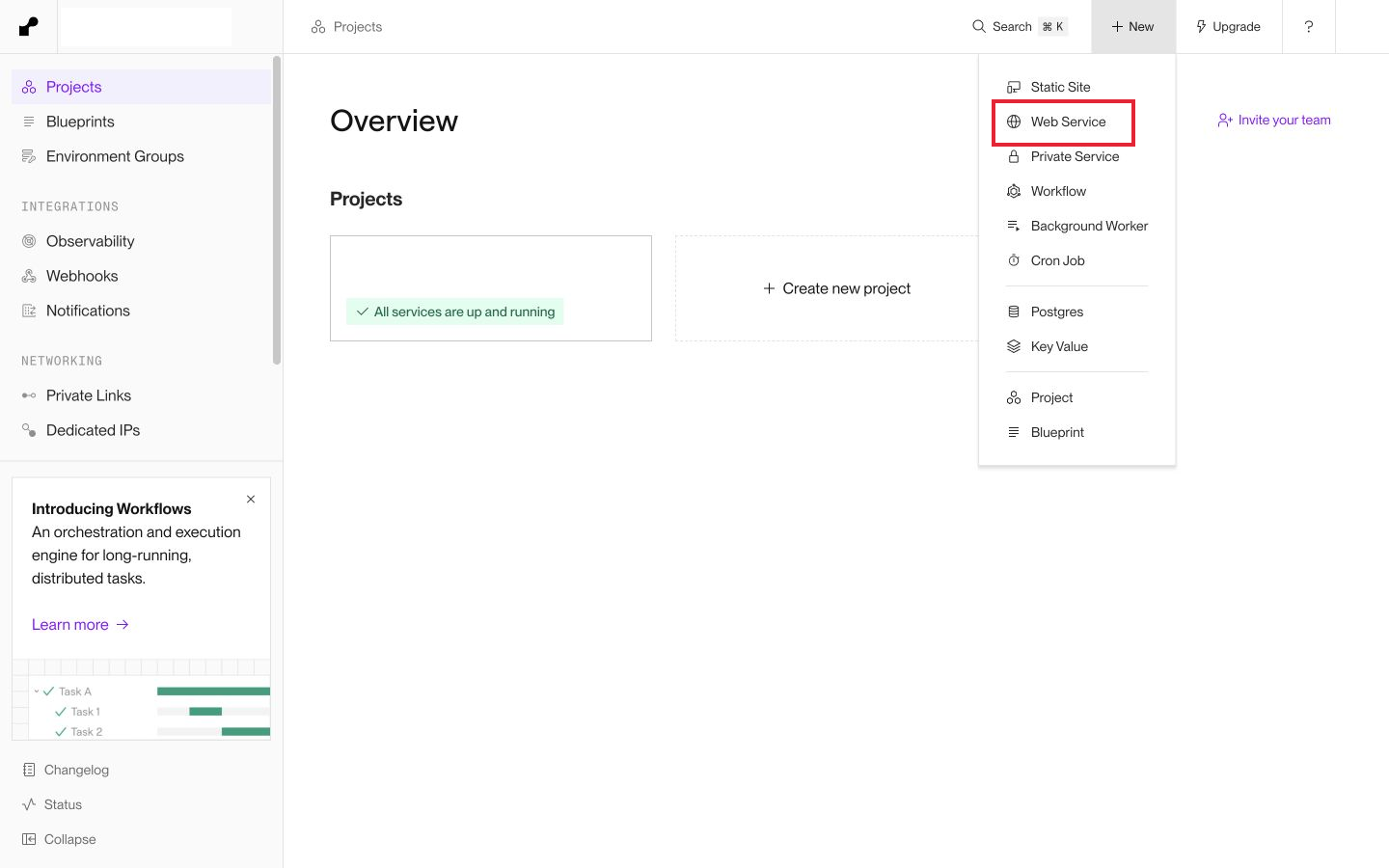
Choose Git Provider and select your repository. If GitHub is not connected yet, follow Render's connection flow and give it access to the repository you want to deploy.
Give the service a name, such as go-api-tutorial. Set Language to Go, choose your branch, and pick a region. I am using Oregon.
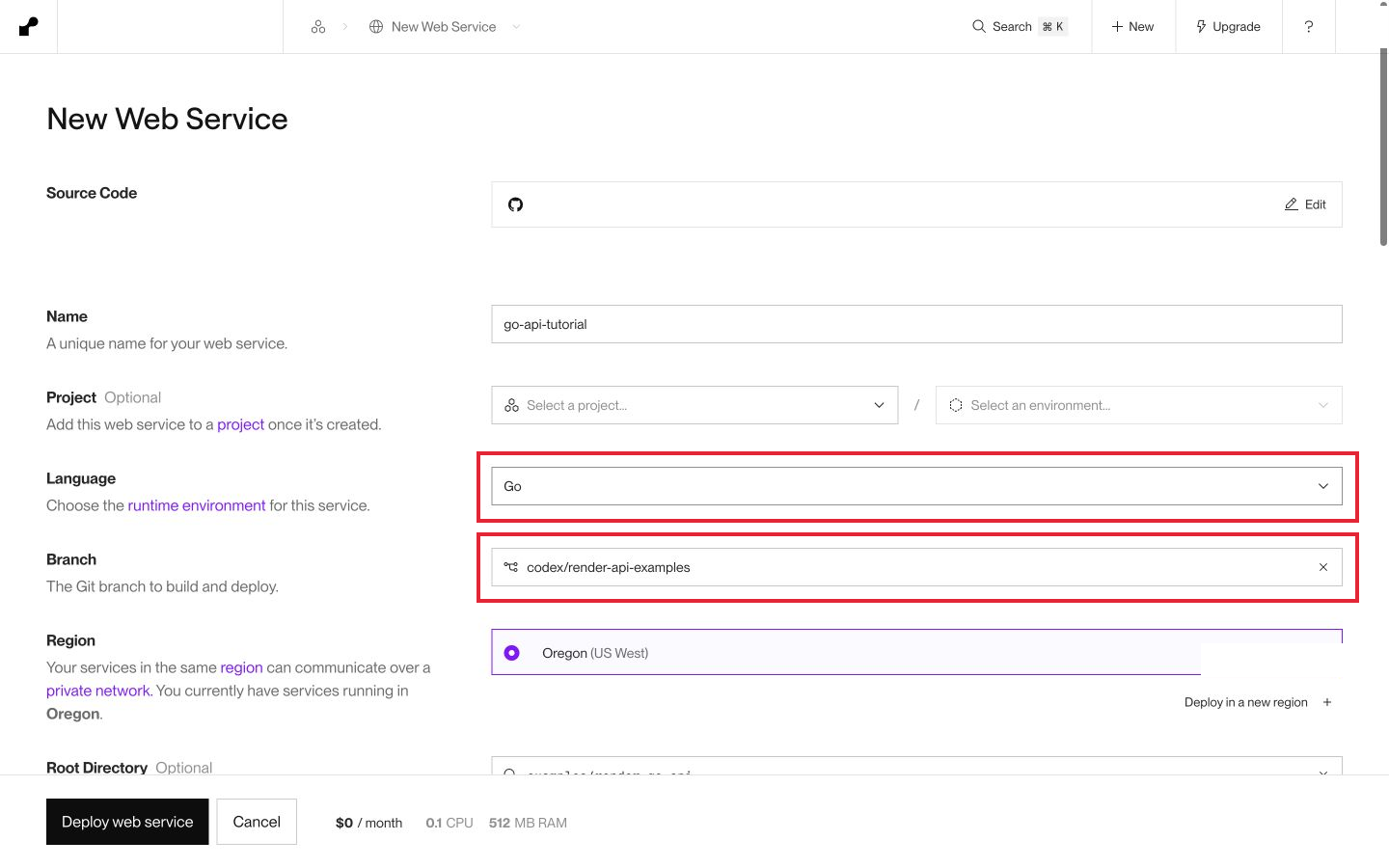
If you copied these files into the root of a new repository, leave Root Directory empty. My screenshot uses examples/render-go-api because the example lives inside a larger repository, on the codex/render-api-examples branch. Use the directory and branch that contain your own files.
Set the build and start commands
Use the following settings:
| Setting | Value |
|---|---|
| Language | Go |
| Build Command | go build -tags netgo -ldflags '-s -w' -o app . |
| Start Command | ./app |
| Compute | Free for this example |
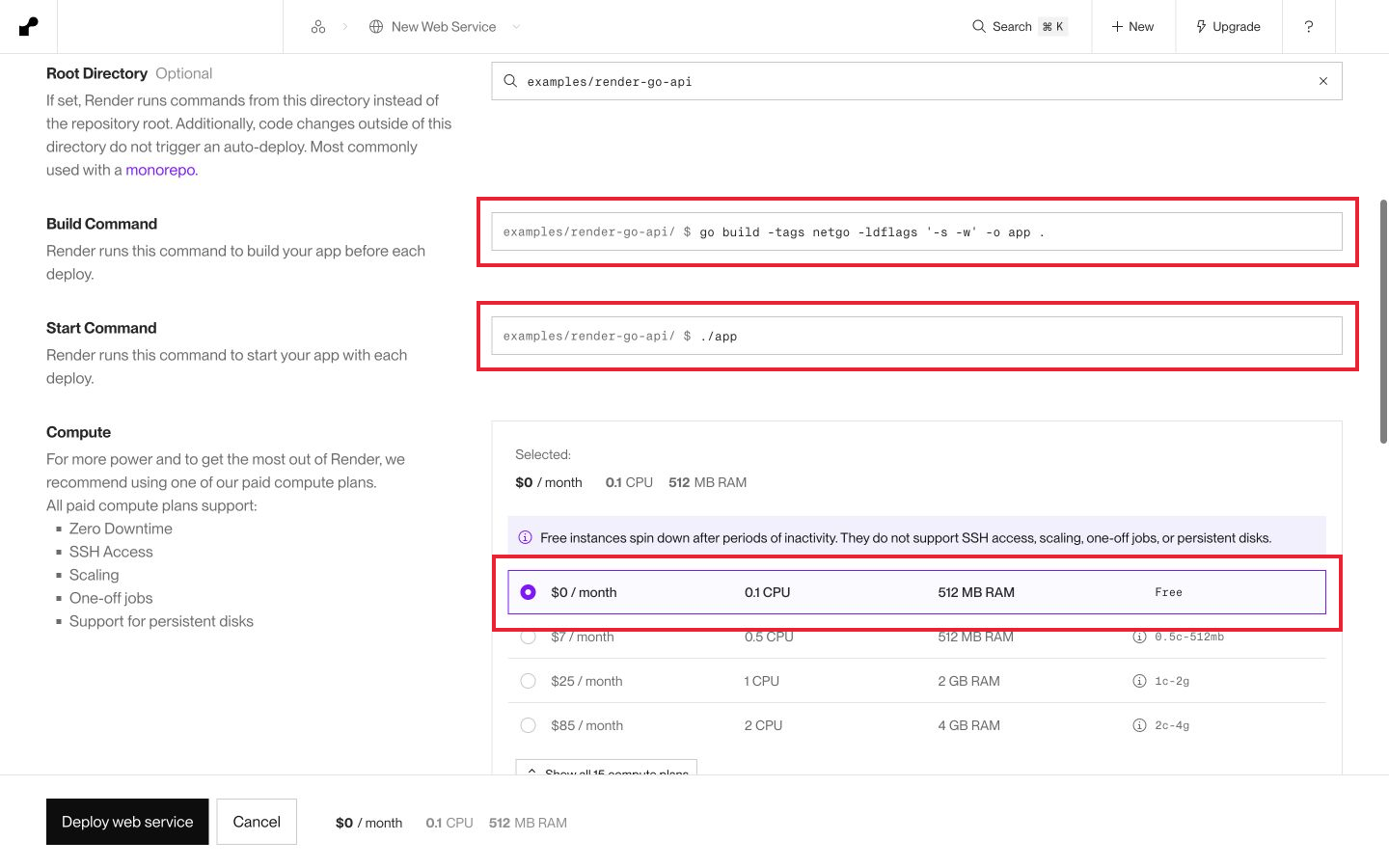
The build command creates an executable named app; the start command runs that file. Render's native Go runtime tracks the latest stable Go version. The go line in your module declares a language requirement, but it does not pin Render's installed compiler. If you need an exact compiler version, use a Docker deployment instead.
Open Advanced and set Health Check Path to /healthz.
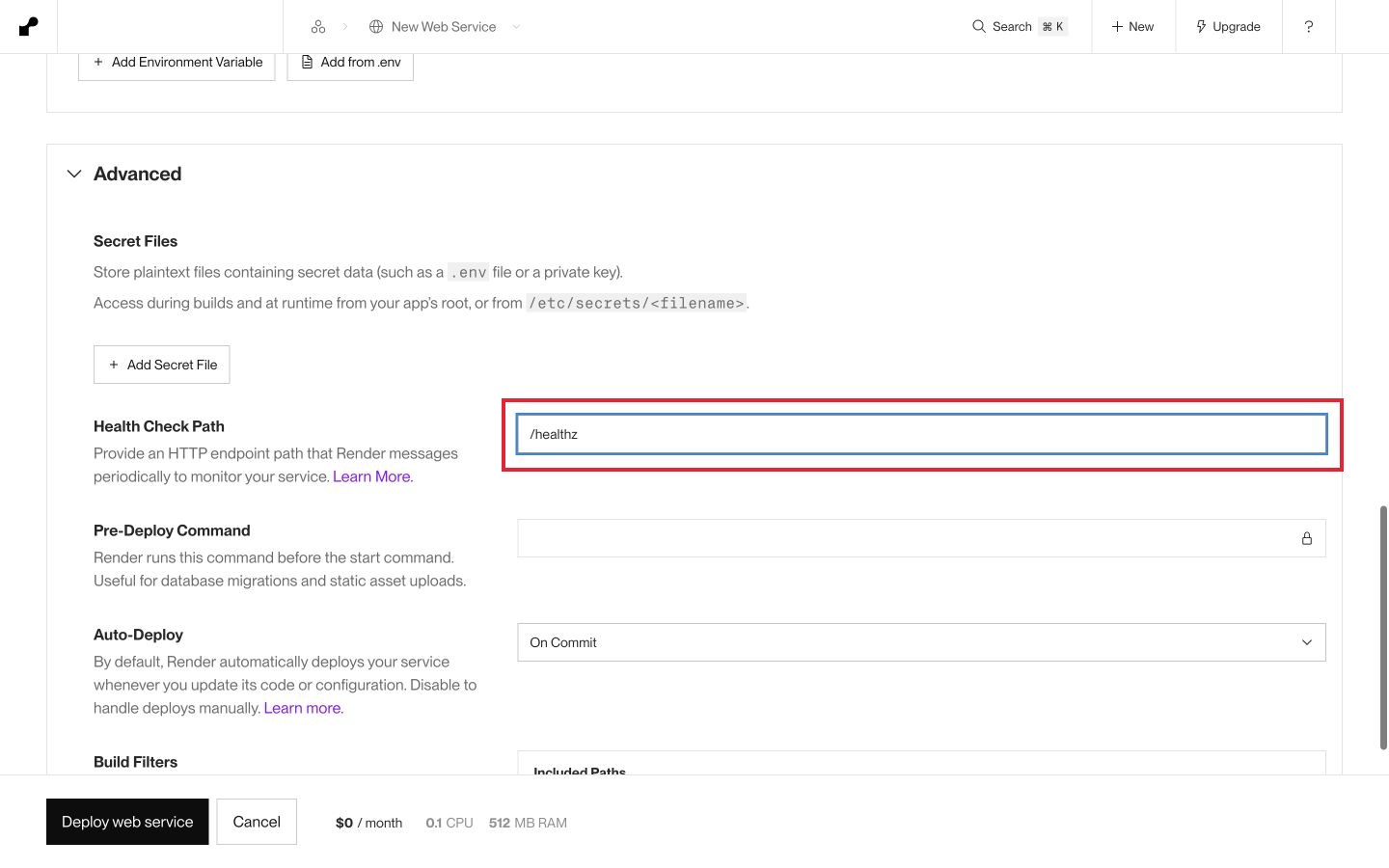
Our example does not need an API key or database password. If your app does, add those values under Environment Variables, rather than putting them in the repository. Review the settings and hit Deploy web service.
Test the deployed API
Wait for the deploy to show Live, then open the onrender.com URL shown on the service page. Your URL will be different from mine.
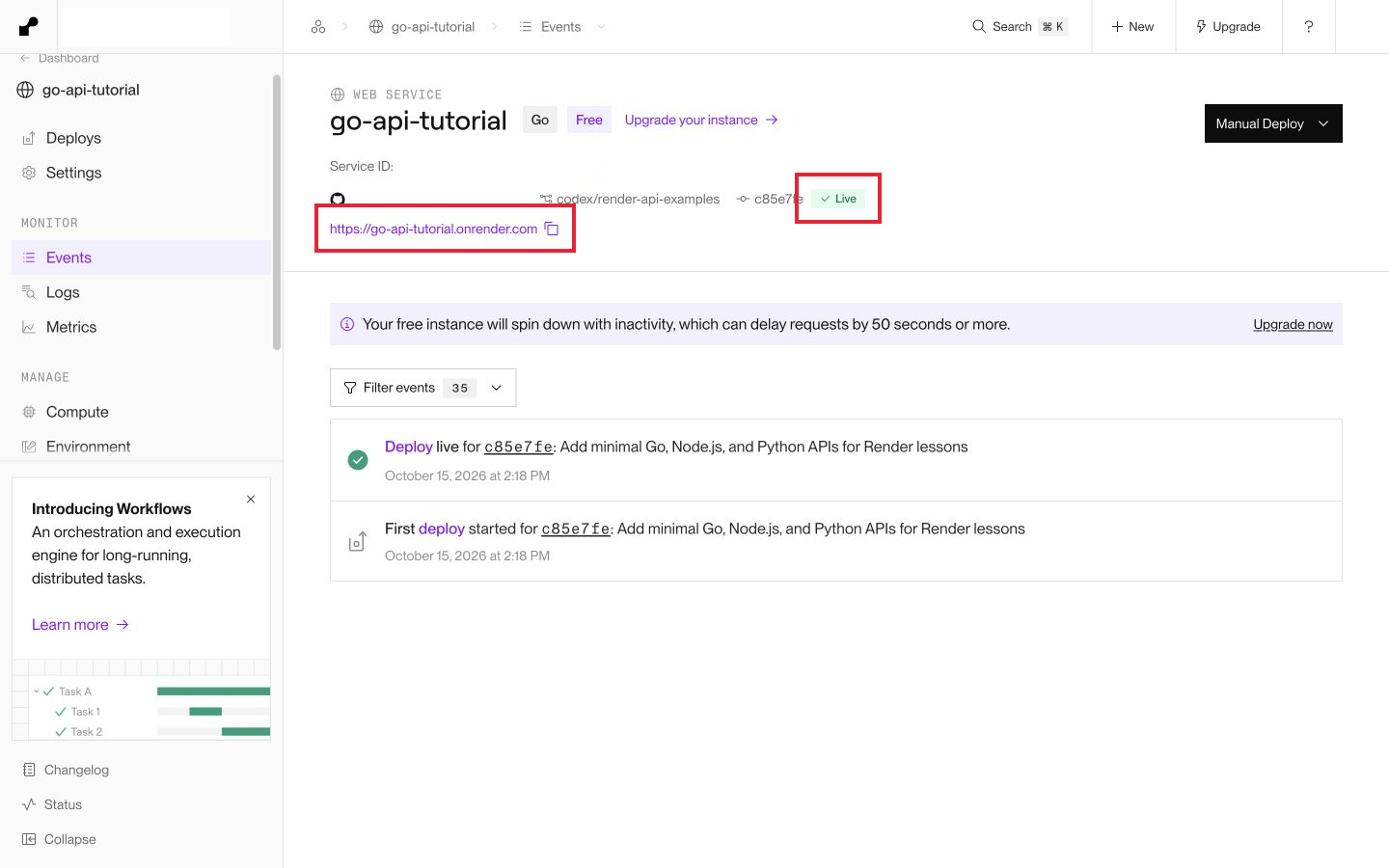
The root route should return:
{"message":"Hello from Go"}
Add /healthz to that URL. You should get:
{"status":"ok"}
You can also use curl. Replace the placeholder URL with the one from your dashboard:
curl https://YOUR-SERVICE.onrender.com/
curl https://YOUR-SERVICE.onrender.com/healthz
I checked both routes on the deployed example. Render provides HTTPS for the public URL. Your app listens on HTTP inside the service, so you do not need to set up a certificate in this code.
If the deploy fails
If the build succeeds but the service exits immediately, check that the start command matches the binary name. If Render cannot find go.mod, check Root Directory. You can open the failed deploy to see the compiler output.
If Render cannot detect an open port, check that the app binds to 0.0.0.0 and uses PORT. Binding only to localhost can work on your computer and fail in a hosted service.
A Free service can take longer to answer after it has been idle. Its filesystem is temporary, so use a database or object storage for data you need to keep. The tutorial API does not store any data.
That's it! You have a Go API running on Render. When you push another change to the connected branch, Render can build and deploy it automatically. Before adding private application data, add the authentication your endpoints need; a web service's URL is public.